After years of service, two symptoms worry robot owners the most: the work just isn't as accurate as it used to be, and the machine has started making noises during operation. Precision loss and unusual noises rarely appear out of the blue — there is usually a clear mechanical cause behind them. This article walks through the common causes and a recommended check order to help you judge whether the issue calls for maintenance or repair.
Five Common Causes
1. Reducer wear or insufficient lubrication. This is the most common source of unusual noises. The reducer is the core transmission component inside every robot joint; after a certain number of years in service, tooth surfaces wear and grease degrades, producing periodic noise along with worsening precision and jitter. The tell-tale sign: the noise is pronounced in specific postures or during motion of a particular axis, and disappears when the robot is stationary.
2. Mechanical looseness and growing backlash. Loose base anchor bolts or worn joint connectors make the robot sway and knock during acceleration and deceleration, and repeatability suffers as a result. For this kind of problem, where the noise comes from matters a great deal — whichever joint the sound comes from is most likely where the problem lies.
3. Zero-point drift or loss. A robot's absolute position depends on its zero-point reference; a flat backup battery, a collision or an abnormal power cut can all shift it. The symptom: the robot "gets there" but doesn't "stop accurately" — the same coordinates in the program end up several millimetres off in reality.
4. Motor and encoder faults. Worn servo motor bearings or abnormal encoder feedback cause jitter during operation and noise at low speed, and can trigger servo alarms in severe cases. There is usually an alarm history to check.
5. Program and parameter issues. Overly aggressive acceleration settings, trajectories passing close to singularities, or load parameters that don't match reality all amplify vibration and noise. It is not rare to find the mechanics perfectly fine and the machine simply "worn out by bad parameters".
Recommended Check Order
| Order | Check item | How to check | What it tells you |
|---|---|---|---|
| 1 | Alarm and operation records | Read the alarm history and cumulative running hours | Rules out electrical issues first; gauges usage intensity |
| 2 | Parameter and load settings | Verify payload, acceleration and trajectory programs | The cheapest check first — parameter issues only need program edits |
| 3 | Low-speed listening test on each axis | Move each axis slowly back and forth to locate the noisy joint | Pins down the noisy axis and narrows the repair scope |
| 4 | Precision measurement | Measure repeatability with a dial gauge or laser tracker | Judges the size of the deviation with data, not guesswork |
| 5 | Mechanical inspection | Check base fastening, joint backlash and oil leak marks | Confirms the extent of mechanical wear; decides between maintenance and overhaul |
Checking from software to hardware, from cheap to expensive, avoids "replace the reducer first" style over-repair.
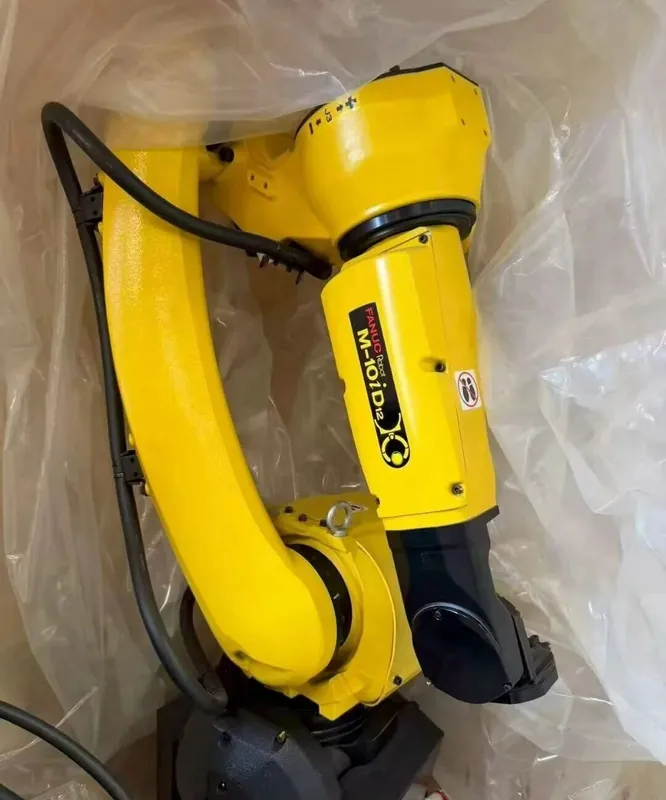
Field Notes
When accuracy loss and abnormal noise appear together, first establish whether the "accuracy problem" and the "noise problem" share a source: quantify the accuracy deviation with a repeatability test (ten runs, take the spread), then locate the sound on its own. If the deviation concentrates on one axis and that axis is the noisy one, it points to that axis's reducer or bearing; if the deviation spreads across several axes while the noise stays in one place, you are usually looking at two independent problems stacked on top of each other — handle them separately or one will lead you astray.
Order of Work
- Run the repeatability test and take the spread
- Locate the sound source on its own
- Open separate work items and handle them separately
When to Call In a Professional Team
Looseness or parameter issues that can be located with a low-speed listening test can be handled by experienced plant staff. But for the situations below we recommend assessment by a professional engineer: reducer noise accompanied by oil leaks or abnormal temperature rise; precision deviation already affecting product quality; precision problems appearing after a collision; several axes misbehaving at the same time. Disassembling reducers and internal body components is demanding work, and improper handling causes secondary damage.
Need Inspection or Maintenance?
Henghuan Robotics offers Maintenance & Repair and Retrofit & Upgrade services — precision measurement, noise localisation, reducer maintenance and replacement, all handled with inspection first and quote after. You can also send us a video of the noise and the alarm records first; our engineers will give you a free preliminary remote assessment.